
Emergency AUS2.1.1 - App Store
You'll be able to see results in few seconds.
Publisher Description
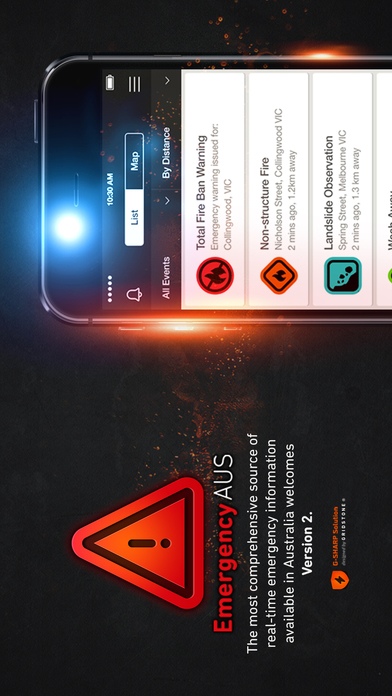
Australians face disasters every year. When your time comes, how will you stay informed?
Emergency AUS delivers warning and incident information issued by official agencies across Australia. The must have app for all Australians and visitors to help you get informed and stay up-to-date with emergencies that can impact you and your loved ones.
Providing you with real-time access to official warnings, incident reports and public Sensory Observations to aid in better decision making during emergencies and disasters. By bringing together emergency information from over 25 emergency service agencies and accessing observations submitted by the public, Emergency AUS delivers unparalleled emergency intelligence to residents, tourists and visitors.
Features:
Official emergency information is sourced from state and territory emergency services and provided in real-time.
View information on the map or in a list
Sort lists by distance from your current location, time or event status
Filter lists and map display by incident status, warning level or State/Territory
National parity applied to warnings and incident terminology for a cohesive national and local picture
Links to the official information sources provided
Access to state and territory warnings and Total Fire Ban notifications Australia wide
Multi hazard / multi risk incident and warnings information including:
- Bushfire
- Structure Fire
- Planned Burns
- Flood
- Storm
- Cyclone
- Smoke hazard
- Hazardous Material
- Rescue
- Tsunami
- Earthquake
Map Overlays to display:
- Rain Radar
- Fire perimeters
- Cyclone impact projections
- Thunderstorm tracker
- Fire Danger Ratings
- Warning areas
- Total Fire Ban coverage
Sensory Observations
Emergency AUS empowers you to capture, record and share information about emergency conditions impacting you. By sharing real-time observations, you help keep others informed which can make all the difference in making a safe decision.
Access public observations (including photos) to increase your awareness
Share what you know about an emergency to help keep others informed
All observations represented on the map to help assess what is relevant to you
Observations submitted by sense (see, hear, feel, smell)
Observation categories include:
- Incident Observations
- Damage Observations
- Community Support
- Weather Events or Hazards
Watch Areas
Set a watch area to keep an eye on warnings and incidents in your area of interest
Receive alerts directly to your phone 24 hours a day, 7 days a week
Advanced double pass analysis provides the most comprehensive assessment of a warning s validity to your watch areas
Variable shaped watch areas once registered on www.emergencyaus.info, you can draw any shape to define your watch area to ensure you only receive information relevant to you
View your watch areas on the incident map
Choose whether to receive only warning, incident or all notifications
Proximity alerts
On the road, on the move, on holidays? Receive notifications for emergency events based on the location of your mobile device
Once activated, Emergency AUS v2 will send you information on emergency incidents and warnings close to you anywhere in Australia
You cannot be sure you are free from harm's way by only using the information provided by Emergency AUS. Always remember, your safety is your responsibility.
Built by GRIDSTONE.
Powered by RIPE Intelligence's Australian emergency information network.
Further integrated emergency information available at www.emergencyaus.info
Requires iOS 8.2 or later. Compatible with iPhone, iPad, and iPod touch.
About Emergency AUS
The company that develops Emergency AUS is Gridstone Pty Ltd. The latest version released by its developer is 2.1.1.
To install Emergency AUS on your iOS device, just click the green Continue To App button above to start the installation process. The app is listed on our website since 2012-10-16 and was downloaded 0 times. We have already checked if the download link is safe, however for your own protection we recommend that you scan the downloaded app with your antivirus. Your antivirus may detect the Emergency AUS as malware if the download link is broken.
How to install Emergency AUS on your iOS device:
- Click on the Continue To App button on our website. This will redirect you to the App Store.
- Once the Emergency AUS is shown in the iTunes listing of your iOS device, you can start its download and installation. Tap on the GET button to the right of the app to start downloading it.
- If you are not logged-in the iOS appstore app, you'll be prompted for your your Apple ID and/or password.
- After Emergency AUS is downloaded, you'll see an INSTALL button to the right. Tap on it to start the actual installation of the iOS app.
- Once installation is finished you can tap on the OPEN button to start it. Its icon will also be added to your device home screen.
Program Details
System requirements
Download information
Pricing
Version History
version 2.1.1
posted on 2012-10-16
Disclaimer
Official App Store Link
We do not host Emergency AUS on our servers. We did not scan it for viruses, adware, spyware or other type of malware. This app is hosted by Apple and passed their terms and conditions to be listed there. We recommend caution when installing it.
The App Store link for Emergency AUS is provided to you by apps112.com without any warranties, representations or guarantees of any kind, so access it at your own risk.
If you have questions regarding this particular app contact the publisher directly. For questions about the functionalities of apps112.com contact us.
